
• Skip to primary navigation
  • Skip to main content
  • Skip to primary sidebar
  • Skip to footer

03 9872 2999

Send us a message

  • Facebook
  • LinkedIn
  • Twitter
  • YouTube
CommsPlus Distribution

CommsPlus Distribution

Your unified communications distribution partner

  • Vendors
    • Avaya
    • Access4
    • AVer
    • Yeastar
    • Captivate Connect
    • NEC
    • Yealink
    • Grandstream
    • Call2Teams
    • Netgear
    • HP Poly
    • DTEN
    • Tollring
    • EnGenius
    • Gigaset
    • EPOS
    • Panasonic
    • Fanvil
    • Heckler
    • Snom
  • Services
  • Company
    • About Us
    • Privacy Policy
    • Warranty
    • Returns
    • News
    • Contact Us
  • PRC
  • Shop
  • Become a Partner

Choosing A VoIP Phone – Part 4: Smartphone Apps

Learn how Smartphone VoIP apps work and what are their key benefits for business communications.

Home / Resources / Guides / Choosing A VoIP Phone – Part 4: Smartphone Apps

January 20, 2020 by Hasan Tariq

Smartphone VoIP apps sit on your smartphone or tablet enabling you to use your device to make and receive office calls on the go.

They again can work inside and outside the LAN. The smartphone apps are aimed at true mobile users.
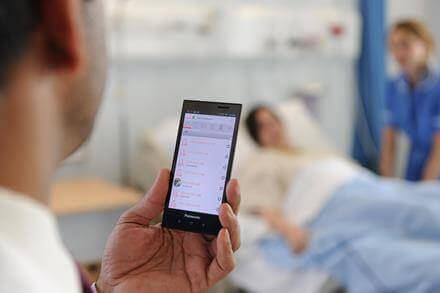
This gives the company the ability to issue company phone numbers and telephony features such as voice mail, but introduce the BYOD (bring your own device) concept to the work place. This is popular with both employees and employers and is becoming more and more common in the work place.

Employees benefit by only having to carry one mobile device with them.

They don’t need to carry their own mobile phone plus the company supplied one. The employer also gets to retain the phone number (normally a direct dial number) after the employee has left.

This is very popular in the sales industry.

Direct numbers are the only issued numbers on business cards and email signatures. Only the phone calls made out on the app are charged to the employer’s phone bill, thus keeping the separation of numbers and billing (personal mobile and the business direct line).

It also means when the salesman leaves he can easily delete the app, the employers can de-register the device and the salesman doesn’t take the clients with him as they keep calling the office number.

Using the apps on tablets is popular where other information is required by the end user.

This is common in hospitals or nursing homes where the nursing staff is linked to their nurse call system, patient records and phones all in the one small device.

This works really well as an option when the users are working inside a Wireless LAN environment.

There are downsides of VoIP Smartphone Apps.

If you are using a smartphone VoIP application and running on the LTE network (i.e. Telstra or Optus) the voice quality is totally dependent on how good your signal strength is.

Continue to part 5

Business VoIP Series – Part 5: Wireless IP DECT Phones


In this series

Business VoIP Series – Part 1: Questions to Ask
Business VoIP Series – Part 2: IP Handsets
Business VoIP Series – Part 3: Softphones
Business VoIP Series – Part 4: Smartphone Apps
Business VoIP Series – Part 5: Wireless IP DECT Phones
Business VoIP Series – Part 6: WIP Phones
Business VoIP Series – Part 7: Conclusion

Category iconGuides

Subscribe for Offers and Updates

Get the latest updates from CommsPlus delivered straight to your inbox.

Primary Sidebar

Become A Partner Today

Complete our simple online form to become a CommsPlus Partner.

Partner Application Form

Footer

Contact us

Unit 19, 114-118 Merrindale Drive
Croydon VIC 3136
Australia

03 9872 2999

Send us a message

Vendors

  • Avaya
  • Access4
  • NEC
  • Yealink Backup
  • AVer
  • See All Vendors

Company

  • About Us
  • Products
  • Professional Services
  • Partners
  • Privacy Policy
  • Warranty

Subscribe for Offers and Updates

  • Facebook
  • LinkedIn
  • Twitter
  • YouTube

Copyright © 2026 CommsPlus Distribution. All rights reserved.